
clir Voice · Podcasting
You Don’t Need a Studio to Record Your First Podcast
Record your first podcast at home with the phone you already have. Follow a short pilot outline, check the sound and save a recording you can improve.
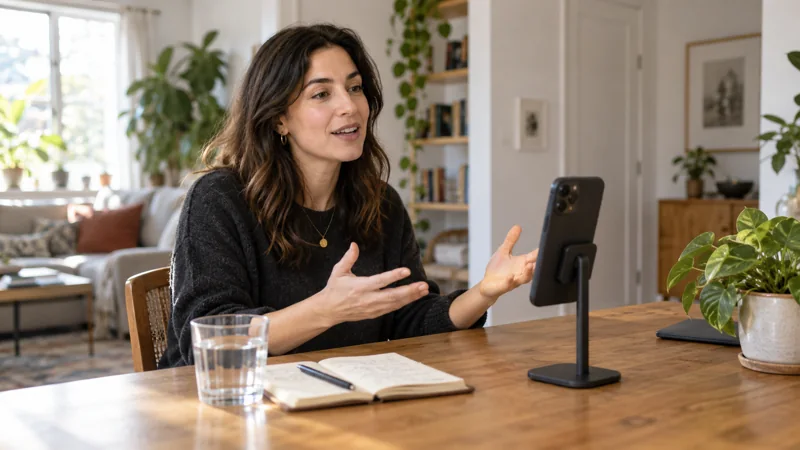
To record your first podcast at home without extra equipment, use your phone, a stable support and one question you can answer clearly. Make a short solo pilot before buying extra equipment.
Write a four-line outline
Choose a specific question. “How do I prepare three useful interview questions?” is easier to cover than “Everything I know about interviews.”
| Part | What to say |
|---|---|
| Opening | Name the listener's problem. |
| Answer | Explain your approach. |
| Example | Give one real example. |
| Ending | Suggest one action the listener can try. |
Aim for roughly three minutes. Use notes if reading a full script makes your delivery stiff.
If you are deciding whether the phone suits a particular format, use the iPhone podcast setup guide.
Set up the phone
Put it on a stable support with the microphone clear. Keep your notes in front of you so you can speak toward the phone.
Reduce avoidable noise: a fan, an open window or contact with the table. Try a room with curtains or soft furnishings before a bare, reflective space.
Record a short sound check
Say a normal sentence, a louder one and leave a pause. Listen on headphones.
- Distant voice: move the phone closer.
- Room echo: try another spot.
- Bump or rustle: stabilize the phone or remove the contact.
- Crackling loud words: change the capture setup and repeat them.
Change one thing and repeat the same sentence. For a difficult location, use the noisy-place setup.
Record the pilot
Open your recorder and follow the four-line outline. Voice Memos is enough to make this first test. Disconnect Bluetooth accessories first so you use the phone's built-in microphone.
If you stumble, pause and repeat the sentence. Note roughly where it happened so you can find it later.
Stop after answering the question and save the recording with a clear name.
Review the explanation, then the sound
Can the listener tell which question you answered? Does the example help? Cut or repeat a section that does not.
Then listen for a constant hum and for a hollow sound after each sentence. Switch off a noisy device, move the phone closer or try a room with more soft furnishings. Repeat a short passage to hear whether the change helped.
For a take you've already recorded, the audio-cleanup guide explains the available repairs. clir Voice is one option for reducing noise and echo on iPhone.
Save the pilot and choose one improvement
Save a copy of the recording to Files and play it back. Check the opening, the hardest sentence and the end.
Write one thing to keep and one thing to change. If you need cuts, music or distribution, follow the editing and publishing steps.
Keep the pilot. After trying your one improvement, record the same opening again and compare the two.